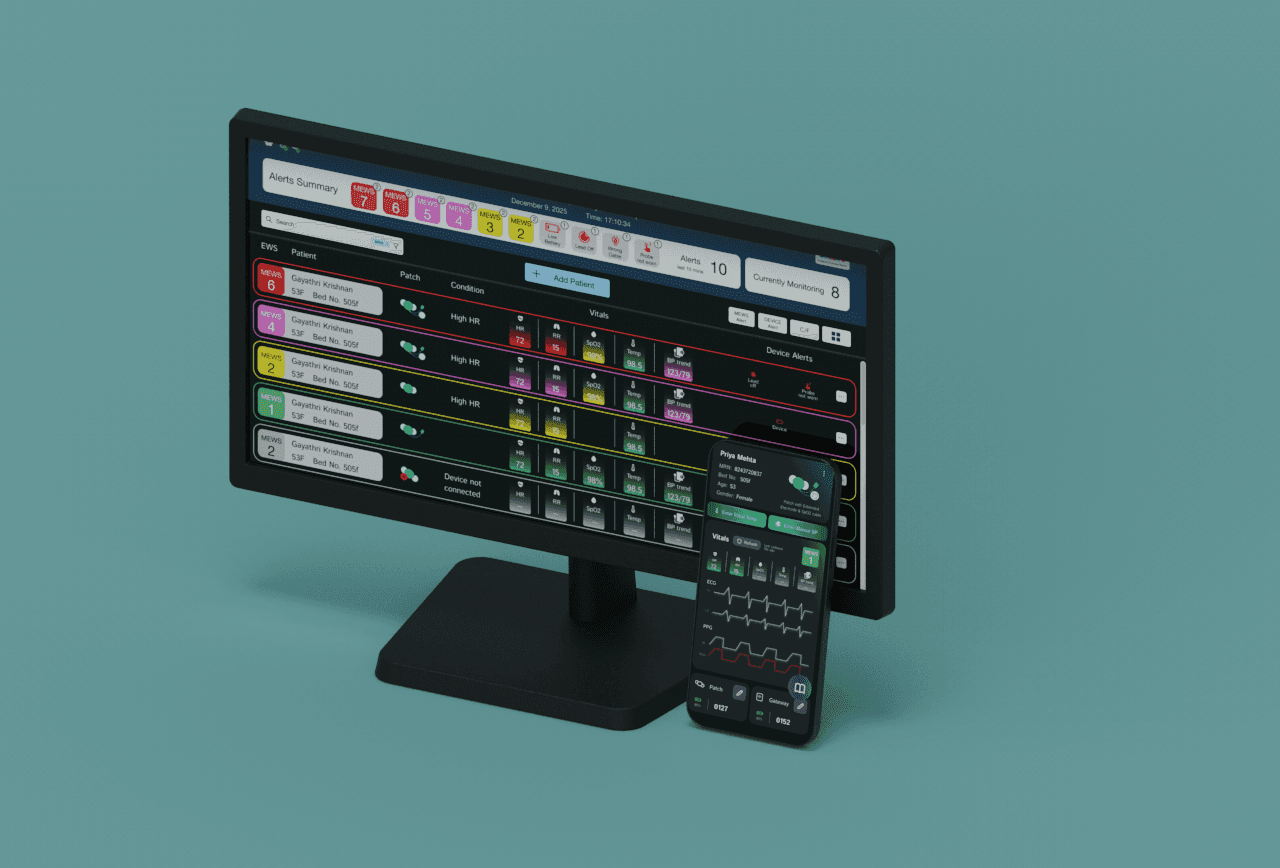
Fetal Lite Dashboard
Designing a dashboard for Live Monitoring of pregnant mothers
Live monitoring, Maternal health

ROLE
UX Design, UI Design
TIMEFRAME
6 months
TEAM
InnAccel Technologies
SKILLS
User Experience, UI Design
My contribution to the project
I was the product designer on this project, working with one software engineer. I owned:
UX audit of the existing doctor dashboard, which set the priorities for the redesign
Accessibility improvements: touch targets, color contrast, and type sizing
Design system and visual design across the hospital and admin dashboards
AI analysis pills: I proposed showing analysis status directly on the graph, plus the analysis summary view
Responsive layouts for desktop, tablet, and phone
Statistics pages, built using Claude via MCP on top of the existing design system
The AI algorithm, backend, and graph implementation were built by InnAccel’s engineering team.
PROJECT OVERVIEW
How do you help a doctor make a life-or-death call from hundreds of kilometers away?
Vitals stream live and pass through InnAccel's proprietary AI algorithm, which flags risk in real time.
The doctor-facing dashboard needed to make health parameters and AI insights immediately clear and trustworthy.
Beyond the dashboard, the hospital and admin-facing tools needed a rework to drive real adoption in the field.
CORE PROBLEM
The existing dashboard wasn't built for fast, high-stakes decisions.
District hospitals near Patna, Bihar often have no on-site obstetric specialist. Fetal Lite closes that gap by streaming FHR, MHR, and UA graph data to AIIMS doctors, who rely on it to decide whether a mother needs referral to a higher-care facility or an emergency C-section. But the dashboard doctors were using wasn't designed for the speed or clarity that decision demands.
SECONDARY PROBLEM
Four dashboards, four different UIs, and no shared foundation.
Beyond the clarity issues on the doctor-facing dashboard, InnAccel was maintaining four separate dashboards, each built with its own UI patterns and no shared design system between them. Unifying these into a consistent system wasn't just a design nicety, it was necessary for the software team to actually scale development going forward.
OPPORTUNITY
Redesigning both who sees the dashboard, and what they actually need from it.
Doctors at AIIMS needed speed and clarity; hospital and InnAccel admins needed adoption, compliance tracking, and day-to-day usability.
A reusable design system meant the Fetal Lite device software and other InnAccel products could be built on the same foundation instead of starting over.
Clinical environments demanded larger touch targets, stronger color contrast, and legible type, not standard defaults.
Solution
Distinct layouts were built for desktop, tablet, and phone, based on who uses which device in practice, backed by a reusable design system (48px touch targets on tablet, 44px on desktop and phone) so the interface stayed consistent while scaling across use cases.
The four fragmented dashboards were consolidated into two clearly scoped products, built on the same underlying design system so future development wouldn't mean starting from scratch each time.
CORE FLOWS

Doctors track FHR, MHR, and UA graphs in real time, with live annotations and chat alongside the data.

When the algorithm flags a risk pattern, doctors see it directly correlated against the graph, not in a separate panel.

Doctors move through a session using forward and fast-forward graph navigation instead of scrubbing blindly.

Chat, analysis, info, and tasks are grouped together using heuristic-based grouping, reducing hunting during time-sensitive moments.

InnAccel's internal team checks which devices and hospitals are running which software version, and pushes updates directly from the admin dashboard.

Admins get visibility into device-level status (not just software), catching issues before they affect a live monitoring session.
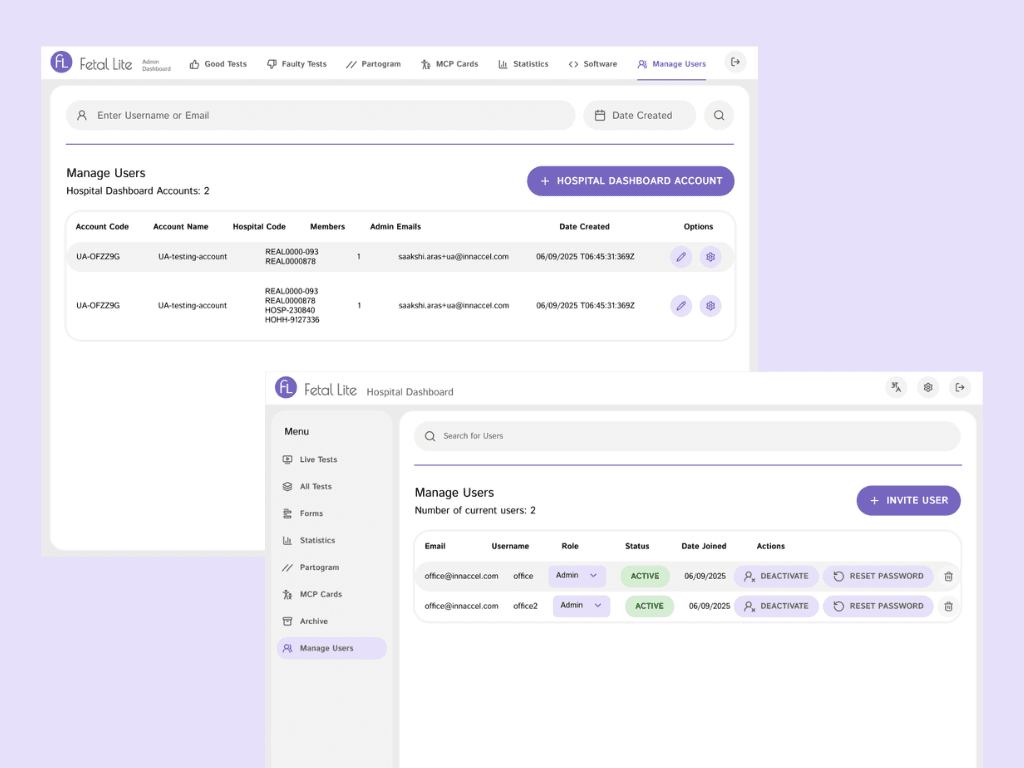
Doctor-level access on the hospital dashboard is managed separately from internal InnAccel users on the admin dashboard, using the same underlying permission system.
Key Design Moments
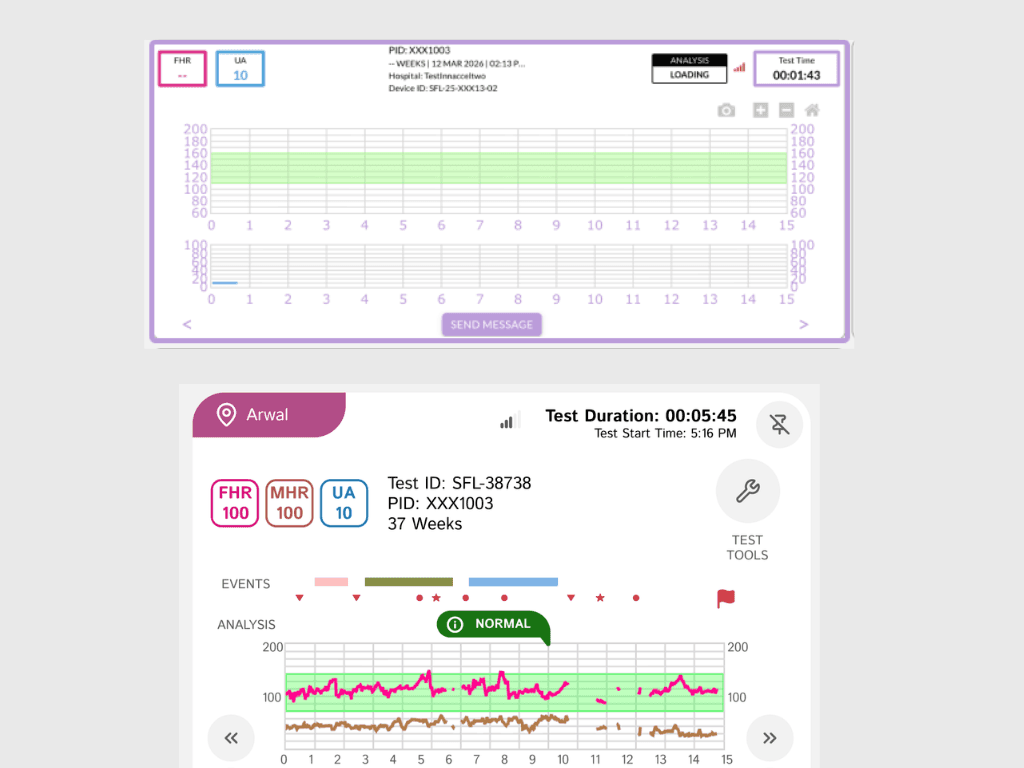
Analysis ran every 20 minutes, but the graph only showed a 15-minute window at a time. That left a 5-minute gap where the latest analysis result sat outside the visible graph, so a doctor could be looking at live data without knowing the algorithm had just flagged something.
I proposed moving analysis status onto the graph itself as a pill, anchored to the exact moment it applies to. A separate analysis summary keeps the latest result visible even when its moment has scrolled out of the window and keeps a track of recent analysis. Doctors can now correlate a flagged risk with the data that triggered it, without cross-referencing a corner of the screen.

Bad network conditions and out-of-range readings needed to be distinguishable from normal data at a glance. These were resolved with dedicated color coding and hover states, rather than folding them into the existing alert system.

Patient events, RA actions, doctor's decisions, and surveys were originally visually similar. Splitting them into distinct visual categories meant a doctor could tell at a glance whether an annotation came from a person's action or a system event.

The original charting library couldn't support the design requirements for live annotations and exception states, so the team switched to a plugin that could, even though this meant reworking the graph implementation. This is a good example of a design decision that had real engineering cost, and shows collaboration in trade-offs.

I ran a UX audit of the existing dashboard, which was first tested live in the field as a TV-view screen. The audit found 11 issues across touch target size, colour contrast, font sizing and UX writing. These mattered more here than in a typical product, because doctors read this screen under time pressure and in non-ideal viewing conditions.
Based on the audit, I set touch targets at 48px on tablet and 44px on desktop and phone, raised text contrast to 4.75:1, and increased body and graph label sizes from 9px to 12-16px. Understanding messages/information was dependent on both colour and accompanying text to make information accessible to colour blind individuals. I built these into the design system, so every screen and the hospital and admin dashboards inherit the same standards instead of fixing them one page at a time.
Impact
Fetal Lite's redesigned dashboards shipped as two responsive products: an internal admin dashboard (B2B) for InnAccel to manage software deployment, device/hospital tracking, and periodic analysis summaries, and a doctor-facing hospital dashboard (B2C) covering real-time monitoring, patient tests and forms, device insights, and doctor-to-district-hospital communication. The pilot itself ran live across 3 district hospitals near Patna, Bihar.
PROCESS
From a cluttered TV-view screen to a structured system.
The initial dashboard was a TV-view screen tested live in the field, which is where the clutter, split attention, and colour overload became obvious. A field feedback loop, including live annotations and doctor/RA surveys, fed directly into accessibility-focused design changes, followed by design system creation before responsive screens were built out.
Research wasn't limited to end users. It included the business/commercial team, project manager, product owners, and software team internally, alongside field research on real communication patterns between AIIMS doctors and research assistants stationed at district hospitals.
What I learned
Design constraints aren't just creative ones.
Working with the software team meant every design decision, like how live annotations should render, had to be buildable, sometimes requiring a new graph plugin entirely. Balancing what clinicians needed to see against what engineering could realistically support shaped nearly every key decision.
Usability should come before requirements, not after.
If repeating this project, the plan would be to analyze the product through a usability lens before engineering requirements are locked in, rather than designing around specs that were already fixed.